
 See Our Latest Article on HelloNation
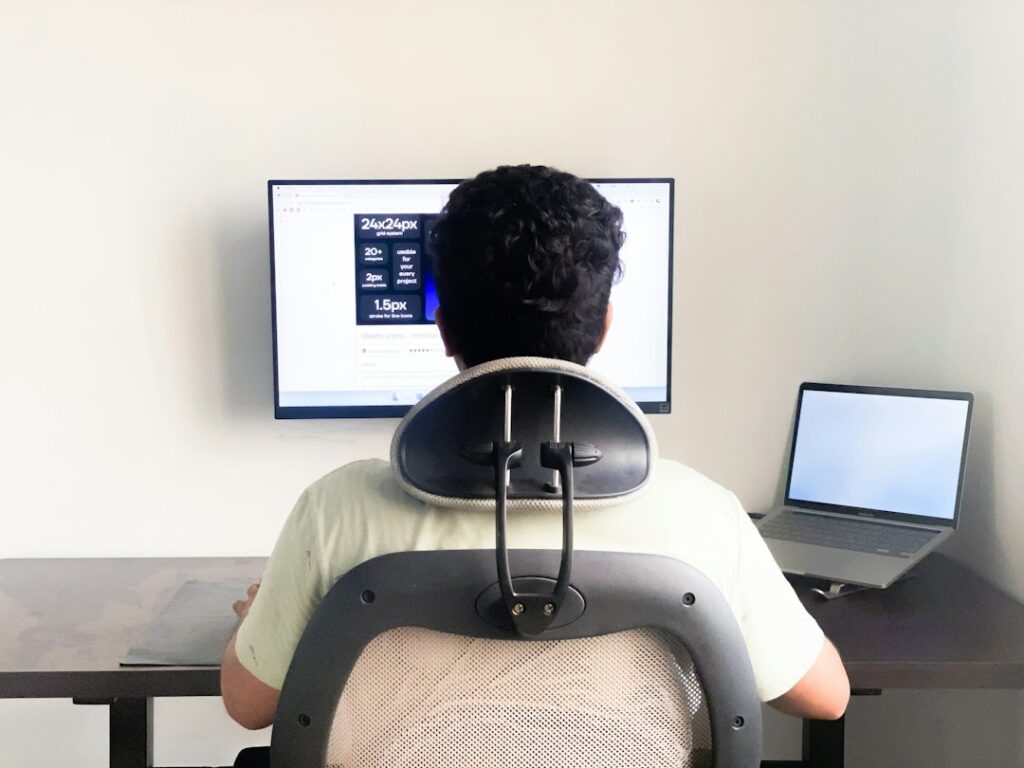
Digital devices are now part of work, school, communication, shopping, entertainment, and household routines. For residents of Owego, NY, long periods indoors during colder months can make phone, tablet, laptop, and television use especially easy to overlook.
“Tech neck” is an informal term for neck, shoulder, and upper-back discomfort associated with prolonged screen use. It is not a separate medical diagnosis, but it describes a common pattern: the head moves forward or downward, the upper back rounds, and the same muscles remain active for too long.
What causes tech neck?
Tech neck usually develops from a combination of posture, screen placement, and time spent in one position. Looking down at a phone or laptop causes the neck to bend forward. The farther the head moves in front of the shoulders, the harder the muscles must work to support it.
The position itself is not automatically harmful. The bigger concern is staying there without changing position for extended periods. Even a reasonably arranged workstation can cause fatigue if the head, neck, and shoulders remain almost motionless for hours.
Common contributors include:
- Holding a phone below chest level
- Working on a laptop placed directly on a low table
- Looking sideways at a second monitor
- Reading in bed with the head propped forward
- Cradling a phone between the ear and shoulder
- Sitting on a soft couch without support
- Repeatedly checking a device during tasks that already require forward bending
Neck symptoms may include aching, stiffness, burning, muscle tightness, headaches near the back of the head, or discomfort that spreads into the shoulders and upper back.
How should a desk or home workstation be arranged?
The goal is a neutral position in which the head is balanced over the torso rather than reaching forward. A few simple adjustments can reduce unnecessary strain.
For computer work:
- Place the monitor directly in front of the body so the head does not remain turned.
- Position the screen high enough that the eyes look slightly downward without bending the neck sharply.
- Keep the screen close enough to read without leaning toward it.
- Let the shoulders relax rather than lifting them toward the ears.
- Keep the elbows near the sides and the feet supported by the floor or a stable footrest.
- Use an external keyboard and mouse if a laptop must be raised to a more comfortable viewing height.
- Adjust chair height or use support so the lower back and pelvis are stable.
There is no single perfect sitting posture for every person. A useful setup is one that allows frequent, comfortable changes without forcing the neck into a fixed position.
How can phone use be made safer for the neck?
Phones create a special challenge because they are portable and often used while walking, reclining, or multitasking. The most helpful change is to bring the device toward eye level instead of repeatedly dropping the chin toward the chest.
For longer reading or messaging sessions:
- Rest the forearms on a pillow, armrest, or table when possible.
- Use both hands or alternate hands instead of gripping the phone in one position.
- Increase text size so the device does not need to be held unusually close.
- Use voice-to-text for longer messages.
- Avoid holding the phone between the neck and shoulder.
- Take short pauses before discomfort becomes noticeable.
A phone does not need to be held perfectly upright all day. The practical goal is to reduce prolonged downward viewing and vary how the device is used.
Do breaks really help?
Yes. Short, frequent posture changes are generally more useful than waiting for one long break after several hours. Muscles that support the head and shoulders become fatigued when they work continuously, even without heavy lifting.
A simple routine is to pause every 20 to 30 minutes for a few moments. Look across the room, lower the arms, relax the jaw, and change sitting or standing position. During longer work periods, stand up, walk briefly, or perform a different task.
A break does not have to mean stepping away from every screen. Switching from typing to a phone, or from a laptop to television, may still leave the neck in a forward position. The body benefits most from changing the posture and movement pattern.
Which stretches and movements may help?
Gentle movement can relieve mild stiffness and help prevent one position from becoming habitual. Movements should be slow and comfortable, without forcing the neck to its end range.
Examples include:
- Turning the head slowly from side to side
- Looking up and down within a comfortable range
- Drawing the shoulder blades gently back and down
- Rolling the shoulders forward and backward
- Taking several slow breaths while allowing the jaw and shoulders to relax
- Standing up and walking for a few minutes

Chin-tuck exercises can also help some people recognize a forward-head position. To try one, sit or stand tall and gently draw the head straight backward, as if making a small double chin. Do not look down or force the movement. Hold briefly, then relax.
Sharp pain, dizziness, numbness, or symptoms traveling into an arm are signs to stop rather than push through the exercise.
How can families reduce screen-related strain?
Children and teenagers may spend long periods using phones, tablets, computers, and gaming systems, often in furniture designed for adults. A screen that is too low, too far away, or difficult to see can encourage slouching and forward head posture.
Helpful household habits include:
- Setting up a stable surface for homework rather than relying on a bed or couch
- Raising screens when practical while keeping keyboards and controls within easy reach
- Encouraging regular movement between assignments, games, and videos
- Teaching children to notice shoulder tension and neck fatigue
- Avoiding the idea that “good posture” means sitting rigidly without moving
For adults working from home, seasonal routines can also matter. During cold, snowy, or rainy periods in Owego, indoor work and entertainment may occupy more of the day. A laptop used at the kitchen table, a couch, or a temporary home office may need periodic adjustment as routines change.
When is neck pain a reason to seek medical evaluation?
Mild soreness that improves with movement and better positioning is often manageable with self-care. Persistent or worsening pain deserves attention, particularly if it interferes with sleep, work, driving, or daily activities.
Prompt medical evaluation is appropriate for neck pain accompanied by:
- Numbness, tingling, or weakness in an arm or hand
- Loss of coordination or difficulty walking
- Severe headache, fever, or unusual illness
- Pain following a fall, collision, or other injury
- Sudden severe pain
- Pain that continues despite reducing aggravating activities
A chiropractor, physician, physical therapist, or other qualified healthcare professional may assess the neck, shoulders, nerves, movement habits, and workstation factors. The right approach depends on the cause rather than on the label “tech neck.”
What is the most useful prevention strategy?
The most reliable strategy is not perfect posture. It is a combination of a reasonably supportive setup, a screen placed near eye level, regular movement, and early attention to stiffness or fatigue.
Screens are unlikely to disappear from daily life, and avoiding them completely is usually unnecessary. Making small changes to how devices are positioned and how often the body moves can reduce the repeated strain that allows mild tension to become a persistent problem.
